
How to Do a Technical SEO Audit: A Step-by-Step Process
 Sabari Rohith
Last updated on
Sabari Rohith
Last updated on

A technical SEO audit checks whether search engines can crawl, render, and index your site cleanly, using a crawler tool alongside Google Search Console to find broken links, redirect chains, blocked pages, and speed issues before they cap your rankings.
TL;DR
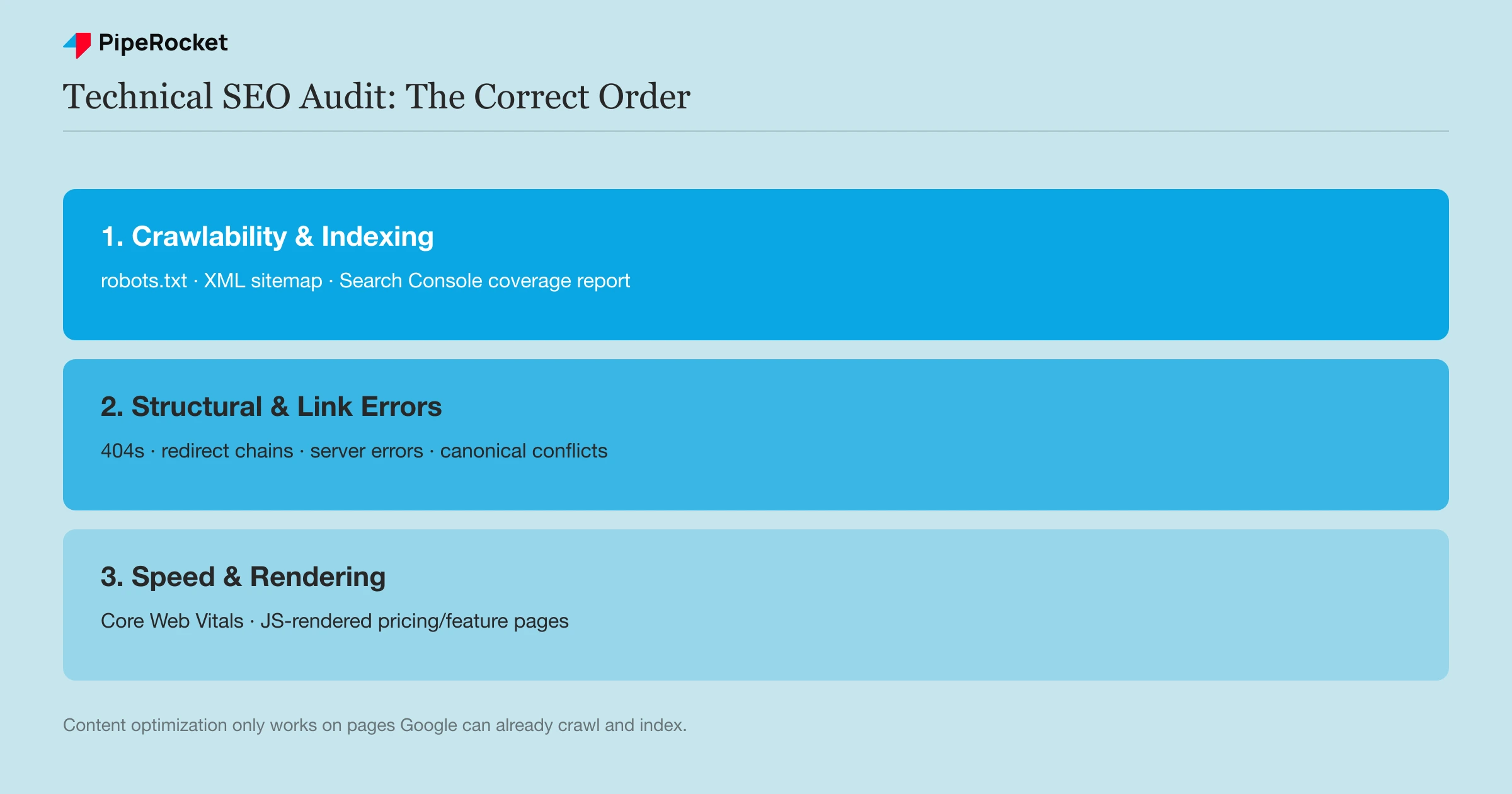
- A technical SEO audit starts with crawlability and indexing, not content, since Google can’t rank what it can’t reach.
- Running a crawler tool like Screaming Frog alongside Search Console’s coverage reports catches most of what actually matters.
- Structural errors, broken links, redirect chains, and server errors, get fixed before anything else, since they waste crawl budget on every page beneath them.
- HTTPS, mobile usability, and Core Web Vitals get checked after crawlability and structure, since they rarely block indexing on their own.
- A SaaS site’s audit differs from an ecommerce audit mainly in scale: fewer total pages, but more JavaScript-rendered content to check.
- Re-auditing on a quarterly cadence catches drift before it compounds into a bigger problem.
Step 1: Find Crawlability and Indexing Issues First
Read robots.txt line by line, submit a clean XML sitemap, then pull Search Console’s Pages report, in that order, before anything else in the technical SEO audit. If Google can’t crawl or index a page, no amount of content or keyword work will make it rank.
I always start with crawlability and indexing, because nothing else in the audit matters if Google can’t reach the page in the first place. Getting this order right saves weeks of wasted content work downstream.
Check What Robots.txt Is Actually Blocking
Open your robots.txt file directly and read every disallow rule line by line. I’ve seen SaaS teams accidentally block their own /blog/ or /pricing/ directory during a staging-to-production migration, and no one notices for months because the site still “looks fine” to a human visitor.
Review the XML Sitemap for Accuracy
Your sitemap should list only canonical, indexable URLs, current, complete, and free of 404s or redirects. A bloated sitemap listing old URLs or parameter variants sends a confusing signal about which pages actually matter.
Pull Index Status From Search Console
The Pages report under Indexing shows exactly which URLs are indexed, excluded, or flagged with a specific error. Sort by “Discovered, currently not indexed” first. Then spot-check the raw count with a site:yourdomain.com search to see roughly how many pages Google holds. On a SaaS site with 1,000 to 2,000 pages, this list is short enough to review individually.
Step 2: Find and Fix Structural and Link Errors
Fix 404s, redirect chains, server errors, canonical conflicts, duplicate content, and orphan pages next. Every broken internal link or extra redirect hop wastes crawl budget on every page that routes through it, so clearing structural errors early protects the rest of the audit.
Run this check with a crawler tool like Screaming Frog or Semrush’s Site Audit, cross-referenced against Search Console’s own error reports, since a lab crawl and Google’s actual field data don’t always agree.
- 404 Not Found errors: update or remove internal links pointing to dead pages, or set up a clean 301 redirect to a genuinely relevant working page, over redirecting everything to the homepage as a catch-all.
- Redirect chains: a URL that redirects to a URL that redirects again wastes crawl budget and dilutes the signal each hop passes forward. Fix every chain to a single, direct hop.
- Server errors (5xx): check whether your hosting server is slow, overloaded, or blocking crawlers through an overzealous firewall or security plugin, since this can silently tank your crawl rate.
- Duplicate or conflicting canonical tags: a page that canonicalizes to itself incorrectly, or to a different page entirely by mistake, confuses which version Google should actually index.
- Duplicate content: near-identical pages (parameter URLs, HTTP and HTTPS versions, trailing-slash variants) split ranking signals across copies. Consolidate them with canonicals or 301s so one version earns the authority.
- Orphan pages: pages with no internal links pointing to them are hard for Google to discover and for users to reach. Compare your crawl’s found URLs against the sitemap to surface them, then link them from a relevant parent page.
- Structured data / schema markup: validate any Product, FAQ, or Article schema with Google’s Rich Results Test. Broken or incomplete markup forfeits rich-result eligibility even when the page itself is fine.
Step 3: Test Speed and Core Web Vitals
Measure Core Web Vitals against Google’s thresholds: LCP under 2.5 seconds, INP under 200 milliseconds, and CLS under 0.1. Use PageSpeed Insights and the Search Console Core Web Vitals report, but treat speed as a check that comes after crawlability and structure.
Core Web Vitals are the three field metrics Google uses to score real-user page experience:
- Largest Contentful Paint (LCP): under 2.5 seconds. How fast the largest visible element (usually the hero image or heading block) finishes loading.
- Interaction to Next Paint (INP ): under 200 milliseconds. How quickly the page responds after a user taps or clicks. INP replaced First Input Delay as a Core Web Vital in 2024.
- Cumulative Layout Shift (CLS): under 0.1. How much the layout jumps around as the page loads, which is what causes mis-taps.
Read the field data (real Chrome users) over the lab score where both are available, since the lab number is a simulation and the field number is what Google actually weighs.
Keep this step in perspective relative to the rest of the audit. Our SEO lead doesn’t chase a perfect score here, since pages winning competitive SaaS keywords rarely sit above 80 on Lighthouse overall. A SaaS site’s page count is small enough, usually 1,000 to 2,000 marketing pages against an e-commerce catalog’s millions, that crawlability and indexability (Steps 1 and 2) still do far more of the technical-SEO work than squeezing out the last few points of a speed score.
Step 4: Verify Mobile Usability and Security
Confirm the site loads over HTTPS with a valid certificate and no mixed-content warnings, then check that text, images, and menus scale correctly on mobile. Google indexes the mobile version of your site first, so a broken mobile render directly costs rankings.
- HTTPS and security: confirm a valid, unexpired TLS certificate, force every HTTP URL to redirect to its HTTPS version, and clear any mixed-content warnings where an HTTPS page still loads an image, script, or stylesheet over HTTP.
- Mobile usability: check that body text is readable without pinch-zoom, tap targets aren’t cramped together, images and menus resize to the viewport, and no element forces horizontal scrolling. Test on a real device alongside Search Console’s URL Inspection.
Step 5: Adjust the Audit for SaaS vs General Sites
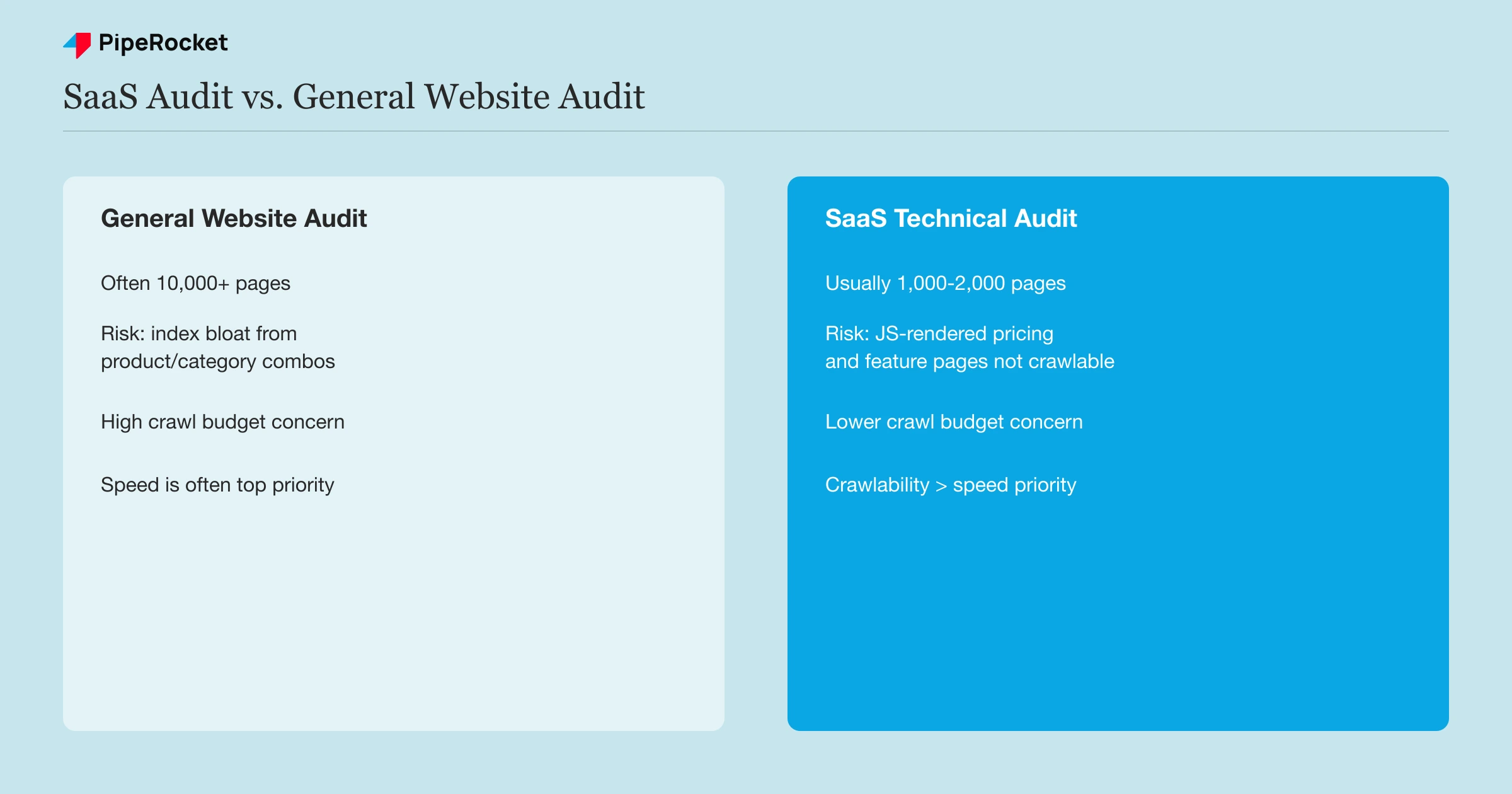
A SaaS technical SEO audit differs from a general website audit mainly in scale and rendering: fewer total pages (usually 1,000 to 2,000), but more JavaScript-rendered pricing and feature pages that a crawler may not fully see.
| Factor | General website audit | SaaS technical audit |
|---|---|---|
| Site size | Often tens of thousands of pages (ecommerce especially) | Usually 1,000 to 2,000 pages |
| Primary risk | Index bloat from product/category page combinations | JavaScript-rendered pricing and feature pages not fully crawlable |
| Crawl budget concern | High, given page volume | Lower, but still worth checking on trial/PLG funnel pages |
| Speed priority | Often the top priority | Real, but secondary to crawlability and indexability |
We’ve audited hundreds of SaaS sites as part of our broader technical SEO work, and the pattern holds. Crawlability and indexability account for the large majority of what actually blocks rankings, well ahead of speed.
Top-ranking pages for competitive SaaS keywords rarely score above 80 on PageSpeed, and it hasn’t held them back.
Treat this technical SEO audit as one layer of a broader SaaS SEO audit that also covers on-page, off-page, and content signals. Fix your 404s, your redirects, your canonicals, and your sitemap, keep the user experience smooth, and Google rewards the rest.
The Essential Technical SEO Audit Tools
- Screaming Frog or Semrush’s Site Audit for a full crawl that surfaces broken links, redirect chains, and duplicate content at scale. Screaming Frog’s free tier crawls up to 500 URLs, enough for most small SaaS sites.
- Google Search Console for field data on what Google has actually indexed, crawled, and flagged, which a lab crawl alone can’t show you.
- PageSpeed Insights for Core Web Vitals scores, though I treat this as a secondary check behind crawlability.
- A rendering check tool (Search Console’s URL Inspection, or a headless browser test) specifically for JavaScript-heavy pricing or feature pages, since these are where SaaS sites most often hide an indexing problem general audits miss.
Common Mistakes to Avoid
Auditing Content Before Fixing Crawlability
Optimizing on-page content on a page Google can’t fully crawl or index wastes the effort. Fix the foundation first.
Treating a Lab Crawl as the Full Picture
A Screaming Frog crawl shows what your site looks like to a crawler in ideal conditions. Search Console’s field data shows what Google actually experienced, and the two frequently disagree on JavaScript-heavy pages.
Redirecting Every 404 to the Homepage
A blanket homepage redirect for every broken link tells Google (and users) nothing about where they actually wanted to go, and it can look like a soft 404 pattern at scale.
Skipping the Re-Audit
A clean audit today doesn’t stay clean. New pages, a CMS update, or a marketing campaign’s tracking parameters can quietly reintroduce the same issues within a quarter. At larger page counts, see our enterprise SEO audit guide for how the process scales.
How PipeRocket Digital Runs Technical SEO Audits
We run crawlability and indexing checks first on every audit, cross-referencing a full site crawl against Search Console’s field data before touching content. This is the foundation of every SaaS SEO engagement we run, and the same process our best SaaS SEO agencies roundup uses to evaluate other agencies’ technical rigor.
Get in touch if you want us to run this audit on your site.
Frequently Asked Questions
What is a technical SEO audit?
A technical SEO audit is a systematic check of whether search engines can crawl, render, and index a website cleanly. It covers crawlability, indexing status, site speed, structured data, and structural errors like broken links or redirect chains.
It’s the foundation layer of SEO work, since content and keyword targeting can’t produce results on pages Google can’t fully reach.
How long does a technical SEO audit take?
For a typical SaaS site with 1,000 to 2,000 pages, a thorough audit takes anywhere from a few days to two weeks, depending on how many issues the initial crawl surfaces. The crawl itself runs in hours. The time goes into reviewing, prioritizing, and cross-referencing findings against Search Console before building a fix list.
How often should I re-run a technical SEO audit?
A quarterly cadence catches most drift before it compounds, though a site that ships frequent product or marketing changes may want a lighter monthly check specifically on crawlability and indexing status. Waiting a full year between audits usually means finding a backlog of accumulated issues instead of a small, manageable list.
Can ChatGPT do an SEO audit?
Partly. ChatGPT can analyze crawl data you export from a tool like Screaming Frog and help prioritize fixes, but it can’t crawl, render, or index a site itself, so it can’t run a full technical SEO audit on its own.
What is the best technical SEO audit tool?
Screaming Frog is the most widely used standalone crawler for deep, granular technical SEO audits. Pair it with Google Search Console for field data on what Google has actually indexed and crawled.
Is there a free tool that can perform a website SEO audit?
Yes. Google Search Console is free and shows real index and crawl data, and Screaming Frog’s free tier crawls up to 500 URLs, which is enough for most small SaaS sites.

