
LinkedIn Account-Based Marketing: How to Run Campaigns in 2026
 Praveen Ravi
Last updated on
Praveen Ravi
Last updated on
You’ve probably heard of Account-based Marketing (ABM), the strategy where instead of casting a wide net, you get laser-focused on a specific set of companies and go after them with everything you’ve got. The reason LinkedIn is the perfect place to run it is simple. Every other ad platform makes you guess who’s seeing your ads.
LinkedIn Account-based Marketing lets you walk straight up to the door of the exact company you want and knock on it, by name, by industry, by job title, by revenue. That targeting precision is something no other platform gives you at this level.
I’ve been running ABM campaigns on LinkedIn for over a decade and in this blog, I’m going to show you exactly how to run ABM on LinkedIn the right way, from picking the right type of ABM for your business all the way to handing warm accounts over to your sales team.
TL;DR
- LinkedIn is the best ABM platform because the targeting lets you reach specific companies, job titles, and decision-makers by name in a way no other ad platform can match.
- There are three types of ABM. ABM 1:1 is for going after one specific company with fully personalised creatives. ABM 1:Few targets 10 to 20 companies and works best for sales-led teams. ABM 1:Many targets hundreds to thousands of accounts and is best suited for PLG products.
- Your ICP has to be defined before you touch the platform. Industry, company size, buyer profile, revenue range and funding stage all need to be locked in before you build a single audience.
- If sales isn’t following up, the whole thing falls apart. You can see who engaged with your ads, but you have no visibility into buying intent. Only your sales team can confirm that by picking up the phone.
- Judge ABM by account engagement and pipeline progression. CTR is the wrong metric for this motion because you are warming a fixed set of accounts over several weeks.
- Pair your matched-audience ads with CRM account scoring. Feed the LinkedIn engagement report into your CRM so sales knows which warmed accounts to prioritise first.
What Is LinkedIn Account-Based Marketing?
LinkedIn account-based marketing is a B2B paid strategy where you target specific companies or decision-makers with ads, instead of broadcasting to a broad audience.
Unlike Google Ads, where you’re chasing intent through search queries, LinkedIn Ads lets you walk straight up to the door of the exact company you want, by name, by industry, by revenue, by job title.
That level of precision is why ABM works so well here specifically. The platform’s targeting infrastructure is literally built for this, so you’re not hacking anything. You’re using it exactly the way it was designed.
What Are the Types of LinkedIn Account-Based Marketing Campaigns?
The three types of LinkedIn Account-based Marketing campaigns are ABM 1:1, ABM 1:Few, and ABM 1:Many. They differ by list size, best-fit growth model, and how personalised the creative has to be.
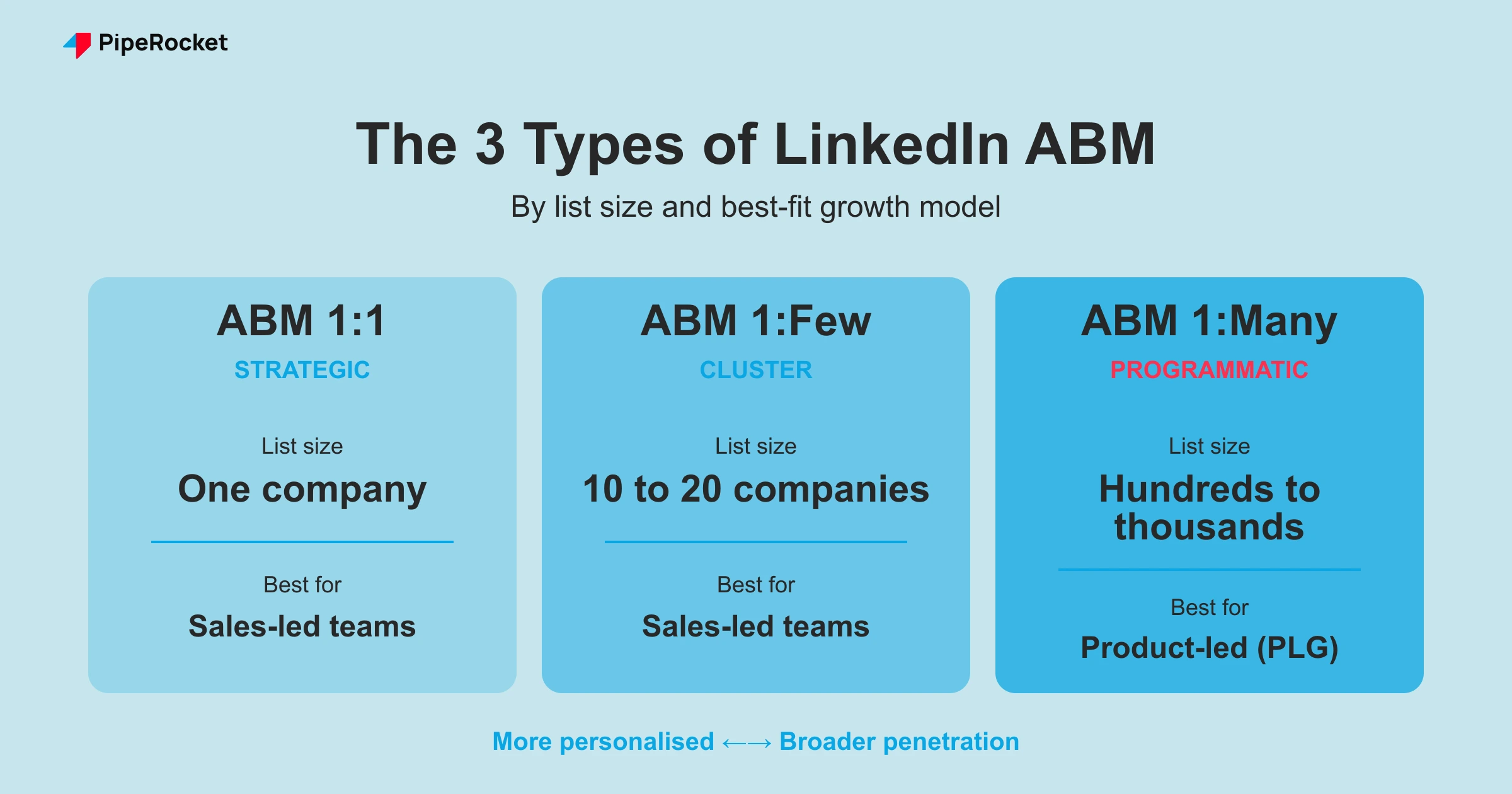
| Type | List size | Best for | Creative requirement | Goal |
|---|---|---|---|---|
| ABM 1:1 | One company | Sales-led teams | Fully personalised (logo, name, pain point) | Win one named account |
| ABM 1:Few | 10 to 20 companies | Sales-led teams | Segment-specific messaging | Penetrate a tight, manageable list |
| ABM 1:Many | Hundreds to thousands | Product-led (PLG) products | Flexible, pain-point-led | Broad penetration across an ICP universe |
Let me walk you through each one:
1. ABM 1:1: Going After One Specific Company
This is the most surgical approach you can take. Everything about the campaign is built for one company specifically:
- Their logo in the creative
- Their company name in the ad copy
- Every message tailored to their world
For example: If you want to target Amazon directly. The entire campaign should look like it was made specifically for Amazon:
- Using Amazon’s logo in the ad creative
- Using their name in the design and ad copies
- Pointing to their specific pain-point in the copies.
2. ABM 1:Few: Targeting 10-20 Companies
Here you’re working with a tighter list, typically 10 to 20 companies. The reason this number works so well comes down to two things:
- Penetration: With the right budget behind it, you can reach the majority of people inside those 20 companies. So by the time your sales rep picks up the phone, they already recognize your name from the ad.
- Manageability: Your sales team can realistically follow up with every engaged account on a list this size.
Important Note: ABM 1:Few only works if your sales team is actually following up after the campaign runs. ABM without a coordinated sales motion is just burning money. We’ll come back to that.
3. ABM 1:Many: Targeting Hundreds and Thousands of Companies
Here you’re going after hundreds, sometimes thousands, of companies at the same time. You narrow the list based on your Ideal Customer Profile (ICP), whether that’s industry, company size, or region, and run ads across all of them simultaneously. The goal isn’t immediate conversion. It’s penetration across a large, well-defined universe of accounts.
For example, you can filter out 1:Many lists by:
- Revenue range: Are they big enough to afford what you sell?
- Funding stage: Have they raised capital recently, meaning they’re actively spending?
Those two signals alone cut out a huge amount of wasted spend before the campaign even launches.
What Are the Benefits of LinkedIn ABM?
The main benefit of LinkedIn ABM is spend efficiency: you concentrate budget on a named list of high-value accounts instead of paying to reach a broad audience that will never buy.
- Precision targeting: You reach specific companies, job titles, and decision-makers by name, which no other ad platform matches at this level.
- Less wasted spend: Revenue and funding filters cut unqualified accounts before launch, so budget follows accounts that can actually pay.
- Warmer sales conversations: By the time a rep calls, the account already recognises your name, so the outreach never feels cold.
- A controlled universe: You always know exactly which accounts you are working, rather than waiting for an algorithm to decide who sees the next ad.
LinkedIn is one channel in a wider ABM motion, but for B2B it is usually the highest-leverage place to start because the targeting is built for named-account marketing.
What Are the Challenges of LinkedIn ABM?
The biggest challenge of LinkedIn ABM is that it fails without a coordinated sales follow-up: the ads warm accounts, but only sales can confirm buying intent and close them.
- The 300-person minimum: Tight ABM 1:1 audiences can fall below LinkedIn’s 300-person floor, forcing you to layer in an adjacent job function.
- Native audience refill: Native targeting refills the pool automatically, so you lose control of exactly which accounts cycle in.
- It is a slow burn: Give a campaign 3 to 4 weeks before you judge it, which frustrates teams expecting quick clicks.
- Sales-marketing dependency: If the buying committee never gets a follow-up, engaged accounts stall and spend is wasted.
How to Run LinkedIn Account-Based Marketing Campaigns?
To run LinkedIn ABM: define your ICP, pick 1:1, 1:Few, or 1:Many based on your growth model, build a matched-audience list in Campaign Manager, launch for 3 to 4 weeks, then hand the engagement report to sales.
Here is the step-by-step process on how to run LinkedIn Account-based Marketing campaigns:
Step 1: Define Your ICP Before You Touch the Platform
Before you even open LinkedIn Campaign Manager, get specific on your ICP:
- Industry: Which verticals are you actually targeting?
- Company size: What headcount or revenue range fits your product?
- Buyer profile: What does the decision-maker look like inside that company?
Based on our previous example, if a company hasn’t raised any funding and isn’t hitting a certain revenue threshold, they likely can’t pay for what you sell. So they don’t make the list, regardless of how well they fit everything else.
Once your ICP is locked in, use it to decide which ABM type fits your business:
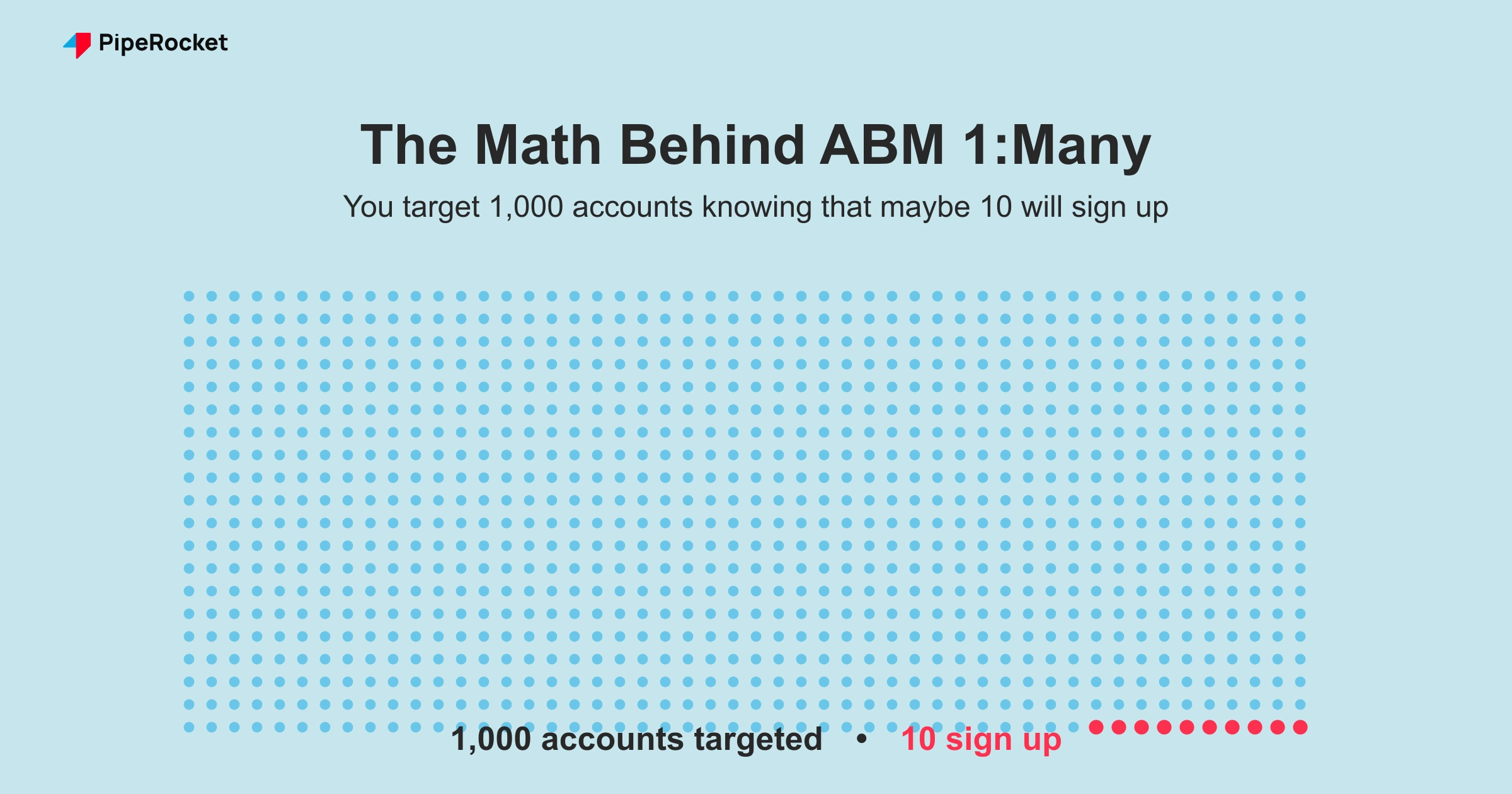
- Are you a Product-Led Growth company? Then go with ABM 1:Many because you need the scale. You’re targeting 1,000 accounts knowing that maybe 10 will sign up, and that’s the math you’re working with.
- Are you a Sales-Led Growth company? Then go with ABM 1:1 or 1:Few, because your sales team needs a manageable list to work through.
Why is this better? With 1:Few specifically, if your first batch of 10 accounts in one industry doesn’t convert, you move to the next, whether that’s IT, manufacturing, healthcare, or wherever the next best fit is. That iteration loop is only possible when you’re working with a tight, defined list.
Step 2: Build Your Target Account List
With your ICP defined, pull your account list based on the filters that matter most:
- ABM 1:1: You’re identifying a single company.
- ABM 1:Few: You’re building a list of 10 to 20 companies.
- ABM 1:Many: You’re compiling hundreds to thousands, filtered by industry, region, company size, or whatever combination is most predictive for you.
Before you move anywhere near campaign setup though, confirm your sales team is ready to act on this list. Align it as one motion: marketing runs the account-specific ads while your SDRs prepare personalised outreach for the same buying committee inside each target account.
Here’s why that matters so much: From the ad side, you can see which accounts are engaged, but you have zero visibility into whether those accounts have actual buying intent. Only your sales team can confirm that by reaching out.
If they don’t follow up, you end up re-showing ads to accounts that may have no intention of ever buying from you, while the accounts that are actually ready to move forward never get a call. ABM is a sales and marketing system. Both sides have to be running for it to work.
Step 3: Understand Your Two Targeting Options on LinkedIn
Before you build anything in Campaign Manager, understand that LinkedIn gives you two distinct ways to run ABM: native targeting, where LinkedIn owns the list, and matched audiences, where you do.
| Native targeting | Matched audiences | |
|---|---|---|
| Who controls the list | You | |
| Refill behaviour | Auto-refills the pool with new accounts | Stays fixed until you change it |
| Control level | Low, you can’t remove specific accounts | Full, you add and remove accounts on your terms |
| Best for | Broad reach | True ABM |
Here are some common LinkedIn Ads mistakes people make with native targeting in an ABM context.
- You pull 10 or 100 accounts out of a native audience because they’ve engaged and you want to hand them to sales.
- But, LinkedIn just refills the pool back to the same size with new accounts.
- You never actually control who cycles in.
With a matched audience, you own the list entirely:
- You decide who’s in it.
- You remove accounts after they engage.
- You add new accounts in the next cycle on your own terms.
That control is the whole point of running ABM, and a native audience simply can’t give it to you.
Step 4: Build Your Audience in LinkedIn Campaign Manager
Here’s the exact path to follow inside Campaign Manager:
- Go to the Audiences section
- Click “Create Audience”
- Select “Matched Audiences”
- Under Sources, choose whether you’re uploading a company list or a contact list
Important Note: ABM on LinkedIn doesn’t have to stay at the company level. You can target specific individuals from those companies by uploading a contact list, which makes the whole thing significantly more precise.
Once you upload, LinkedIn takes up to 48 hours (occasionally longer) to process and match the list into a usable audience. Don’t launch before it’s fully matched. That’s a mistake that quietly wastes your first week of spend on an incomplete audience.
Step 5: Ensure the 300-Person Audience Minimum
LinkedIn requires a minimum of 300 people in your audience before a campaign can go live. In ABM 1:1, this becomes a real problem fast. Say you’re targeting just the marketing department of one company and they might only have 150 or 200 people who fit your criteria.
The fix is simple:
- Layer in an adjacent job function like Sales to push past the 300 threshold
- You end up covering a slightly broader audience inside that company, but you’re still fully reaching the people you actually care about
Those extra people seeing the ad is a completely negligible trade-off for getting the campaign live and covering your core audience.
Step 6: Set Up the Campaign Based on Your ABM Type
How you structure the actual campaign depends on which ABM type you’re running:
- ABM 1:1: You don’t always need to build a separate matched audience beforehand. Go directly into campaign setup, enter the company name, and layer your job title and function filters on top.
- ABM 1:Few: You’ve got two options here. Build a matched audience from your uploaded list, or manually select your 10 to 20 companies directly inside campaign setup and add your ICP filters on top. Either approach works.
- ABM 1:Many: Building a matched audience first is completely non-negotiable. You’re dealing with thousands of companies, and manually entering them inside campaign setup isn’t happening.
If the platform mechanics are new to you, our guide to running LinkedIn ads for SaaS walks through the bidding, budgets, and creative setup these ABM campaigns sit on top of.
Warm Accounts With Content Before You Pitch
Sequence your ad formats: run Sponsored Content and thought-leadership ads first to warm the account, then move to direct messaging once they engage. Pitching cold on the first touch wastes the targeting.
A sequence that works on LinkedIn:
- Sponsored Content: Lead with helpful, thought-leadership posts that build familiarity across the buying committee.
- Conversation and Message Ads (InMail): Once accounts engage, open a direct conversation with a specific, relevant offer.
- Retargeting and email automation: Follow up warmed accounts with LinkedIn Retargeting Ads and an email sequence so the SDR outreach lands on an account that already knows you.
This tiered order is what separates ABM from a one-shot ad blast: you earn attention before you ask for the meeting.
Step 7: Run the Campaign for 3 to 4 Weeks Then Hand the Data to Sales
Judge this campaign by account engagement and pipeline progression. CTR is the wrong metric here because you are warming a fixed set of accounts and using high-intent signals to trigger sales outreach.
Don’t judge an ABM 1:1 campaign on instant ROAS either. The dashboard can look genuinely depressing, low clicks, low CTR, barely any conversions, right up until sales tells you an account replied or mentioned seeing your ads on a call. The two biggest reasons 1:1 campaigns fail aren’t creative or budget: wrong expectations (people want leads in a week when this is a long-term play) and no sales alignment (marketing runs the ads while sales never follows up). Personalize by company name, the specific role you’re targeting, and the exact problem that account cares about. Founder-led video ads in particular tend to perform far better than polished brand creative here, because people trust people, not logos.
ABM is a slow burn, so go in with that expectation firmly set. Give the campaign at least 3 to 4 weeks before you evaluate anything. After that window:
- Download the company engagement report from LinkedIn, which tells you exactly which companies have seen your ads and how many impressions they’ve received
- Hand that list to your sales team the same day you pull it
- Sales reaches out to the most engaged accounts first because these people already know who you are, so the conversation starts from a completely different place
- Remove closed or disqualified accounts from your matched audience
- Bring in the next batch of fresh accounts and repeat the cycle
- Begin LinkedIn Retargeting Ads for the warm accounts now
That refresh cycle is what makes ABM so different from everything else. You’re always working a controlled, intentional universe of accounts, and an algorithm never decides who sees your ad next.
Push the engagement data into your CRM. A solid ABM foundation pairs LinkedIn Ads with CRM integration for account scoring, so the engagement report becomes a ranked priority list. Sales works the highest-scoring warmed accounts first instead of guessing where to start.
Do You Need an ABM Agency or Can You Run It In-House?
Run LinkedIn ABM in-house if you already have tight sales-marketing alignment and someone who owns Campaign Manager weekly. Bring in an agency when list curation, creative, and the sales handoff keep breaking down between teams.
If you want the broader, platform-agnostic view first, our SaaS ABM strategy guide covers the motion across every channel, while this page stays focused on the LinkedIn-specific execution.
Why PipeRocket Digital Should Be Running Your LinkedIn ABM
At PipeRocket Digital, we build ABM systems that connect your ICP definition, account list curation, campaign architecture, and sales handoff into one coordinated motion.
We’ve done this for PLG companies, SLG companies, across industries and all kinds of budget sizes.
If your LinkedIn campaigns feel completely disconnected from your actual pipeline, let’s talk about fixing that.
For a step-by-step version you can tick off, use our free ABM checklist.
Conclusion
ABM on LinkedIn isn’t complicated. You pick the right type for your growth model, you build your account list from a real ICP, and you make sure your sales team is ready to act before the campaign goes live.
The one thing I really want you to take away from this is the difference between native and matched audiences. Native targeting means LinkedIn controls the list. Matched audiences means you do. That distinction alone changes how effective your entire campaign is.
Yes, it’s a slower process than running broad ads. But the whole point of ABM is that you’re not trying to reach everyone. You’re trying to reach the right people, over and over, until they know exactly who you are. By the time your sales team calls, it doesn’t feel cold anymore. That’s the entire game.
Frequently Asked Questions
1. How long before LinkedIn account-based marketing starts showing real results?
Give it at least 3 to 4 weeks before you evaluate anything meaningful. You’re building familiarity inside specific accounts, not chasing immediate clicks. After that window, pull the company engagement report from LinkedIn and hand it straight to your sales team. The campaign warms the account and sales closes it. Both sides have to do their part.
2. Why should I use matched audiences over native targeting for LinkedIn account-based marketing?
With native targeting, LinkedIn controls the audience pool and automatically refills it when accounts cycle out. You have no say in who replaces them. With a matched audience, you upload your own list and own it completely.
You decide who’s in, who gets removed after they engage, and who gets added in the next cycle. That control is exactly what makes account-based marketing work the way it’s supposed to.
3. Does LinkedIn account-based marketing require different creatives for each campaign type?
For ABM 1:1, absolutely yes. Your creatives need the target company’s logo and their name in the copy. For 1:Few and 1:Many you have more flexibility, but the messaging still needs to speak directly to the specific pain points of the segment you’re targeting.
Generic creative defeats the entire purpose of running an account-based marketing campaign in the first place.
4. What kills most LinkedIn account-based marketing campaigns before they even get going?
No sales follow-up process. From the ad side, you can see who engaged, but you have no idea whether those accounts have actual buying intent. Only your sales team can figure that out by reaching out. If they don’t, you keep spending on accounts that may never convert, while the ones with real intent never hear from you.
5. Is LinkedIn ads CPC or CPM?
LinkedIn Ads supports both. You choose CPC (pay per click) or CPM (pay per 1,000 impressions) per campaign based on your objective, per LinkedIn’s ad-pricing documentation. For ABM awareness, CPM often fits because you are warming accounts over time.
6. How do you do account-based marketing?
Define your ICP, pick 1:1, 1:Few, or 1:Many based on your growth model, build a matched-audience list in Campaign Manager, launch for 3 to 4 weeks, then hand the engagement report to sales.
7. Which ABM type should I start with on LinkedIn account-based marketing?
It comes down to your growth model. PLG products should go with 1:Many because you need the volume to drive sign-ups. SLG companies should go with 1:1 or 1:Few because your sales team needs a workable list. With 1:Few specifically, you test one industry of 10 to 20 accounts, see what happens, and if it doesn’t convert, you move to the next industry.

