
What Is Microsoft Advertising? The Bing Ads Rebrand Explained
 Kamaraj Mathiarasan (Kim)
Last updated on
Kamaraj Mathiarasan (Kim)
Last updated on
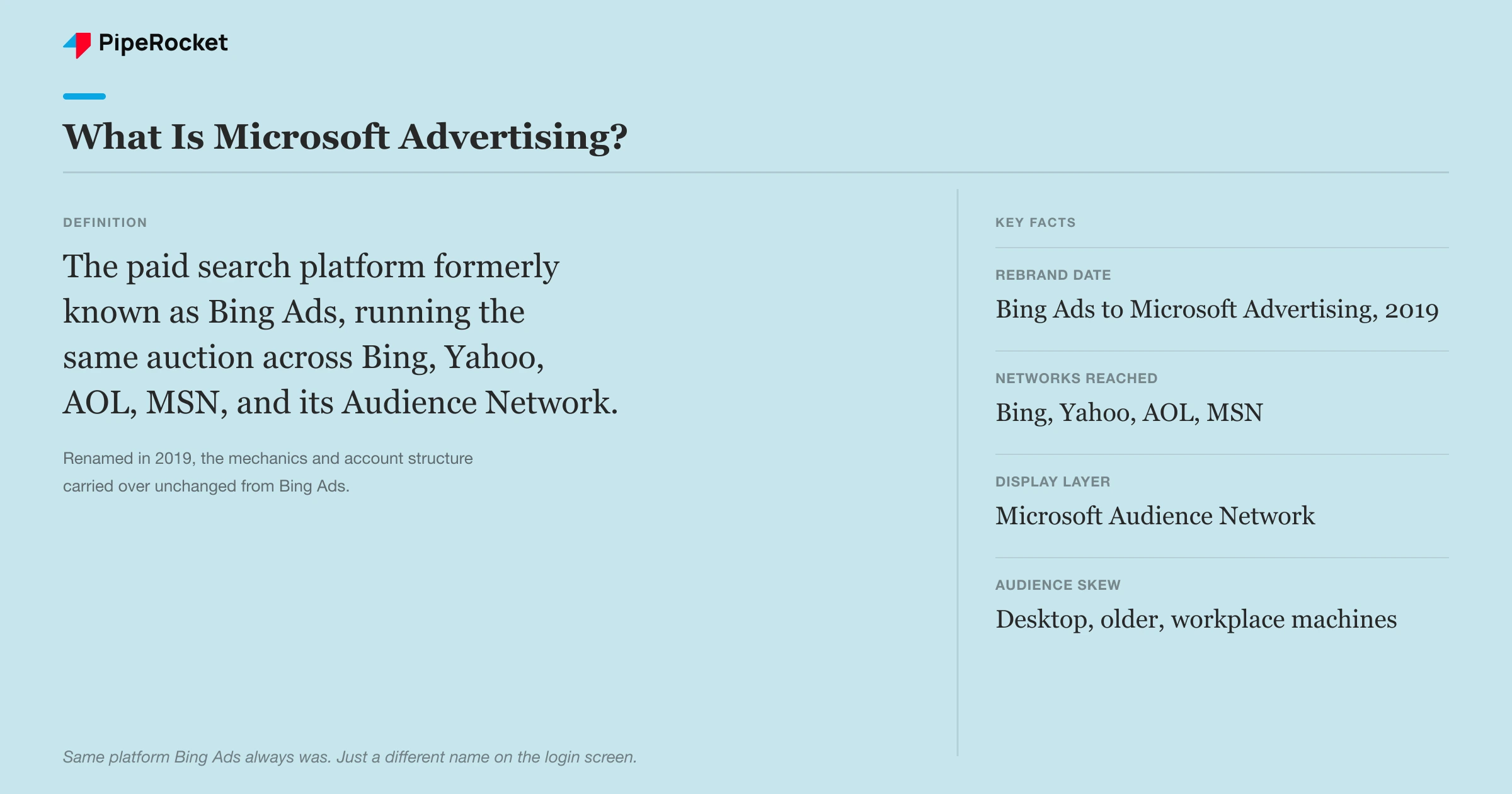
Microsoft Advertising is the paid search platform that runs ads across Bing, Yahoo, AOL, and MSN, plus Microsoft’s own Audience Network. It’s the same platform that used to be called Bing Ads, renamed in 2019. If you ran Bing Ads before, you already know this one.
TL;DR
- Microsoft Advertising is the 2019 rebrand of Bing Ads, running on the same auction and the same core search inventory.
- It reaches Bing, Yahoo, AOL, MSN, and Microsoft’s Audience Network of syndicated display and native placements.
- The rebrand didn’t change the platform’s reach or mechanics, so anyone who ran Bing Ads can run Microsoft Advertising without relearning the tool.
- Most SaaS teams write it off as low-intent leftover traffic, but the actual case for running it is audience skew: older, higher-income, more desktop, less competition.
- Google Ads still wins on scale, and Microsoft Advertising’s real edge is a cheaper, less crowded auction for a specific chunk of your buyers.
What Is Microsoft Advertising?
Microsoft Advertising is Microsoft’s pay-per-click platform for search, display, and native ads across its own properties and partner network. It’s built on the exact infrastructure Bing Ads ran on before Microsoft renamed the product in 2019. The auction and the campaign structure both carried over unchanged.
Here’s the part most SaaS teams get backwards. They hear “Microsoft Advertising” or still say “Bing Ads” and assume it means a small, low-intent corner of search traffic not worth a real budget line. That was never really about the name. It’s about who’s searching there.
- Platform: the self-serve ad platform for running search, display, and native campaigns across Microsoft’s owned and partner properties.
- Rebrand date: renamed from Bing Ads to Microsoft Advertising in 2019, folding in the Microsoft Audience Network under one umbrella.
- Core inventory: Bing search results, plus Google Ads -style PPC auctions running the same bid-and-quality mechanics.
- Interface: same account structure as Bing Ads, so an old Bing Ads login still gets you into the current platform.
- Import tool: a built-in Google Ads import that copies most of your campaigns, keywords, and settings over in a few clicks.
Consider a procurement SaaS selling to fintech ops teams. Their Google account is maxed out on competitive terms like “vendor risk management software,” CPCs climbing every quarter. The same keywords on Microsoft Advertising sit in a thinner auction, because fewer advertisers bother to show up there.
That’s the actual argument for the platform. The searchers hitting Bing on a work laptop skew toward the exact desktop, enterprise, higher-income profile a B2B SaaS team is trying to reach anyway. The lower price is a side effect of that fit, not the reason to show up.
Why Do People Still Search for “Bing Ads” Instead of Microsoft Advertising?
People still search “Bing Ads” because the rebrand changed the name on the login screen, not the muscle memory of everyone who set up an account years ago. Search “Bing Ads login” today and you land on Microsoft Advertising. Nothing about that is a trick or a downgrade.
Old bookmarks and old agency decks still say “Bing Ads,” and none of them are wrong exactly, just outdated. The account you’d sign into is the same account, same campaigns, same reporting, just relabeled.
- The name changed in 2019: Microsoft folded Bing Ads, Yahoo/Bing search partnerships, and its native ad network under the Microsoft Advertising brand.
- Nothing about setup changed: if you know how to build a Bing Ads campaign, you know how to build a Microsoft Advertising campaign.
- Search habits lag branding: plenty of marketers still type “Bing Ads” into Google because that’s the term they learned first.
- Vendors haven’t all caught up either: some import tools, agency proposals, and even job listings still reference “Bing Ads” management as a skill.
I’ll be honest, the name confusion isn’t really a problem worth solving. What matters is that the platform behind either name reaches an audience Google alone doesn’t, and that’s the decision that should drive whether you run it, not what you call it.
What Networks Does Microsoft Advertising Actually Reach?
Microsoft Advertising reaches Bing search, plus Yahoo and AOL through a long-standing search partnership, MSN, and the Microsoft Audience Network’s native and display placements. That’s a wider footprint than “just Bing” suggests, and most SaaS teams never look past the name to check.
The search side runs on Bing’s own results plus Yahoo and AOL, which still pull real search volume from users who never switched their default engine. The Audience Network side is separate: native ads that show up inside Microsoft properties and a set of syndicated partner sites.
- Bing search: the core search engine, still the default on most Windows installs and Microsoft 365 environments.
- Yahoo and AOL: search partnerships that route a meaningful slice of their query volume into Microsoft’s ad auction.
- MSN: Microsoft’s own portal and news network, carrying native and display inventory.
- Microsoft Audience Network: native ads placed across Microsoft properties and third-party syndicated partner sites, similar in concept to Google’s Display Network.
Fast Fact: A Bing search campaign’s actual reach extends across Yahoo, AOL, and MSN through Microsoft’s search partnerships, even though most advertisers only ever see the word “Bing” in the account name.
Most performance marketers still treat this as one small engine. That’s wrong because the partner network alone adds meaningful reach on top of Bing.com, and ignoring it means underestimating how far a single campaign actually travels.
How Does Microsoft Advertising Compare to Google Ads?
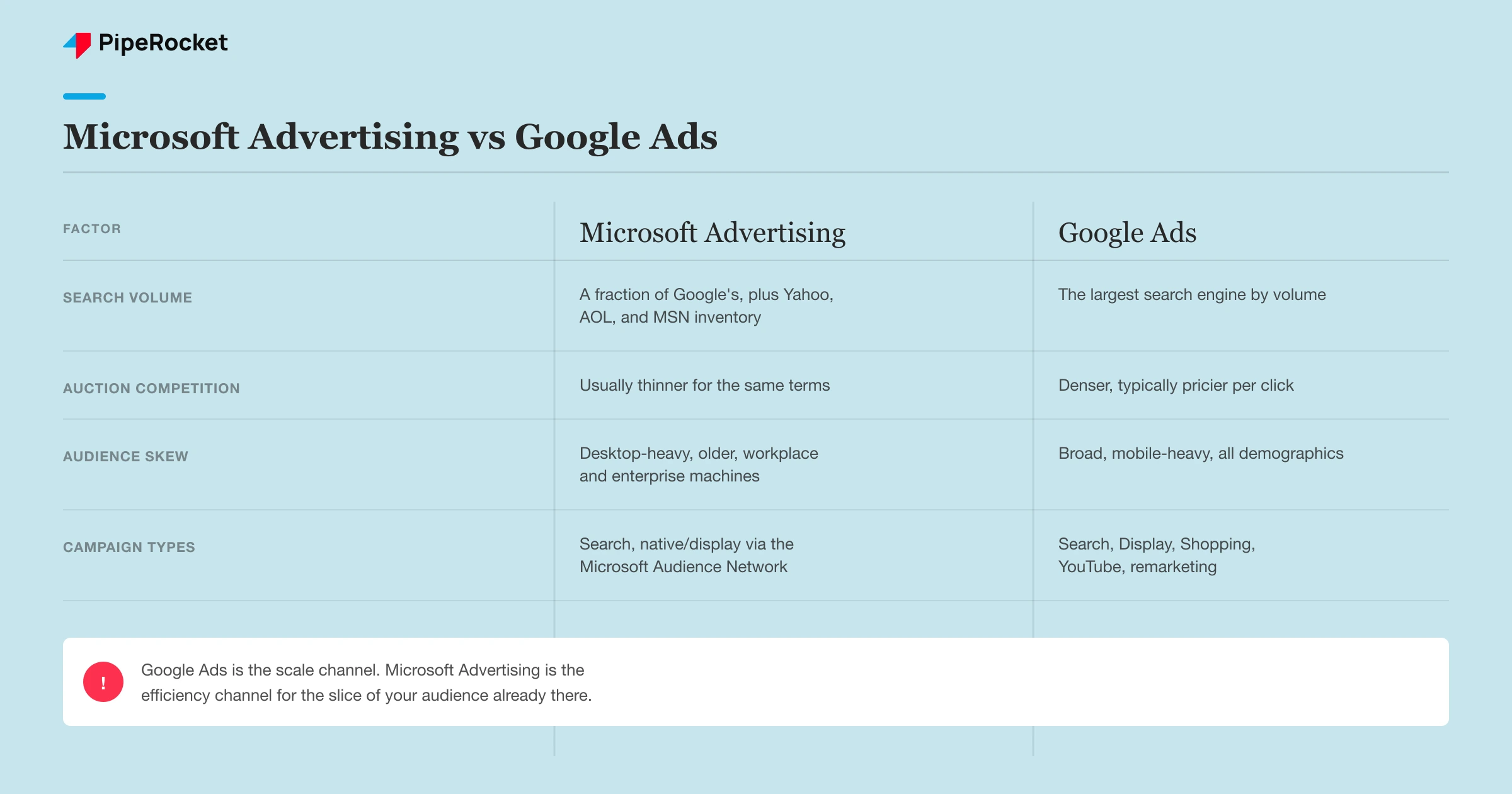
Microsoft Advertising and Google Ads run on nearly identical mechanics, an auction that weighs your bid against ad relevance and quality. The real differences are scale, competition, and who shows up in each auction, not how either platform works under the hood.
| Factor | Microsoft Advertising | Google Ads |
|---|---|---|
| Search volume | A fraction of Google’s, but not negligible once Yahoo, AOL, and MSN are counted | The largest search engine by volume, worldwide |
| Auction competition | Usually thinner for the same keywords | Denser and typically pricier per click |
| Audience skew | Desktop-heavy, older, workplace and enterprise machines | Broad, mobile-heavy, all demographics |
| Setup and mechanics | Near-identical to Google Ads, plus a direct Google import tool | The mature default most teams learn first |
| Campaign types | Search, native/display via Microsoft Audience Network | Search, Display, Shopping, YouTube, remarketing |
The honest read: Google Ads is the scale channel, and Microsoft Advertising is the efficiency channel for the slice of your audience that’s already there. Neither replaces the other, and running Microsoft Advertising as a smaller copy of your Google account is how most teams waste the budget.
Fast Fact: Teams that only ever check Microsoft Advertising’s impression count against Google’s tend to pause the account within weeks, before enough conversion data has a chance to show whether the audience fit is actually there.
Where this actually gets tactical, campaign structure, bidding strategy on lower data volume, and the LinkedIn profile targeting layer that Google has no equivalent for, is beyond what a definition needs to cover. Our Microsoft (Bing) Ads for SaaS guide walks through exactly how we build and run those accounts.
Is Microsoft Advertising Worth Running for a SaaS Team?
Microsoft Advertising is worth running once your Google Ads account is already performing, because it adds reach into an audience segment Google alone doesn’t fully cover. It’s not a replacement channel, and treating it as a smaller Google account is where most teams go wrong.
The trade-off is straightforward: Microsoft Advertising gives you cheaper clicks and a specific audience skew, but it fails you if you expect Google-level volume from it. It’s worth the budget line if your buyer is the type of person searching from a work laptop nobody bothered to switch off Bing.
- Good fit: B2B SaaS selling to enterprise or ops roles, where a desktop, workplace-machine audience matches your ICP .
- Weaker fit: consumer or mobile-first products, where Microsoft’s audience skew works against you.
- Prerequisite: a Google Ads account with enough conversion history that you already know which keywords convert.
- Realistic expectation: meaningful cost-per-lead efficiency on a smaller volume, not a second Google-sized pipeline.
Take a compliance tool built for mid-market finance teams. Their Google account already converts on “SOC 2 automation,” so importing that same campaign into Microsoft Advertising extends proven keywords into a cheaper, thinner auction instead of guessing at new ones.
Also read: best SaaS PPC agencies for teams evaluating who should run this alongside Google.
Frequently Asked Questions
1. If I still have an old Bing Ads account, is it the same account as Microsoft Advertising?
Yes. The 2019 rebrand renamed the product, not the underlying account, campaigns, or billing. If you log in with your old Bing Ads credentials, you land in the current Microsoft Advertising interface with your campaign history intact. Nothing needs migrating, and there’s no separate signup required. The only thing that changed is the name on the login page and the addition of the Microsoft Audience Network under the same account.
2. How do I know if Microsoft Advertising is actually worth the budget for my SaaS?
Judge it on cost per qualified lead against your Google numbers for the same keyword themes, not on raw click or impression volume, since Microsoft’s total search volume will always look small next to Google’s. Give it enough time to gather conversion data on a handful of proven keywords before expanding. If a smaller Microsoft account beats your Google cost per qualified lead on the same terms, it’s earning its place.
3. Is Microsoft Advertising the same thing as LinkedIn Ads, since Microsoft owns both?
No, they’re separate platforms with separate billing and separate ad auctions. Microsoft Advertising is the search and native ad platform covering Bing, Yahoo, AOL, and MSN. LinkedIn Ads is Microsoft’s professional-network advertising product. The connection that trips people up is that Microsoft Advertising can layer LinkedIn profile data, company, industry, and job function, onto its own search campaigns as a targeting option, without you needing a separate LinkedIn Ads account.
The Bottom Line
Microsoft Advertising is the same platform Bing Ads always was, just easier to find now that the name matches what people actually search for. What it’s worth to you comes down to one thing: a specific audience sitting in a thinner auction.
The SaaS teams getting value from it target that audience on purpose. Most teams that import a Google campaign once and forget the account exists never see it.
If you want help deciding whether it earns a spot in your paid mix, reach out to us or see our SaaS PPC service for how we run both platforms together.